Case Study
Nova
Designing how an in-house AI app builder plugs into cPanel, defining its design-system strategy, and shaping how AI creation tools coexist with Sitejet and WordPress inside the WebPros Dashboard.
Role
UX Tech Lead
Timeline
2025 -- Ongoing
Tools
Figma, Confluence, Jira, Material Design 3, Tailwind / ShadCN
Overview
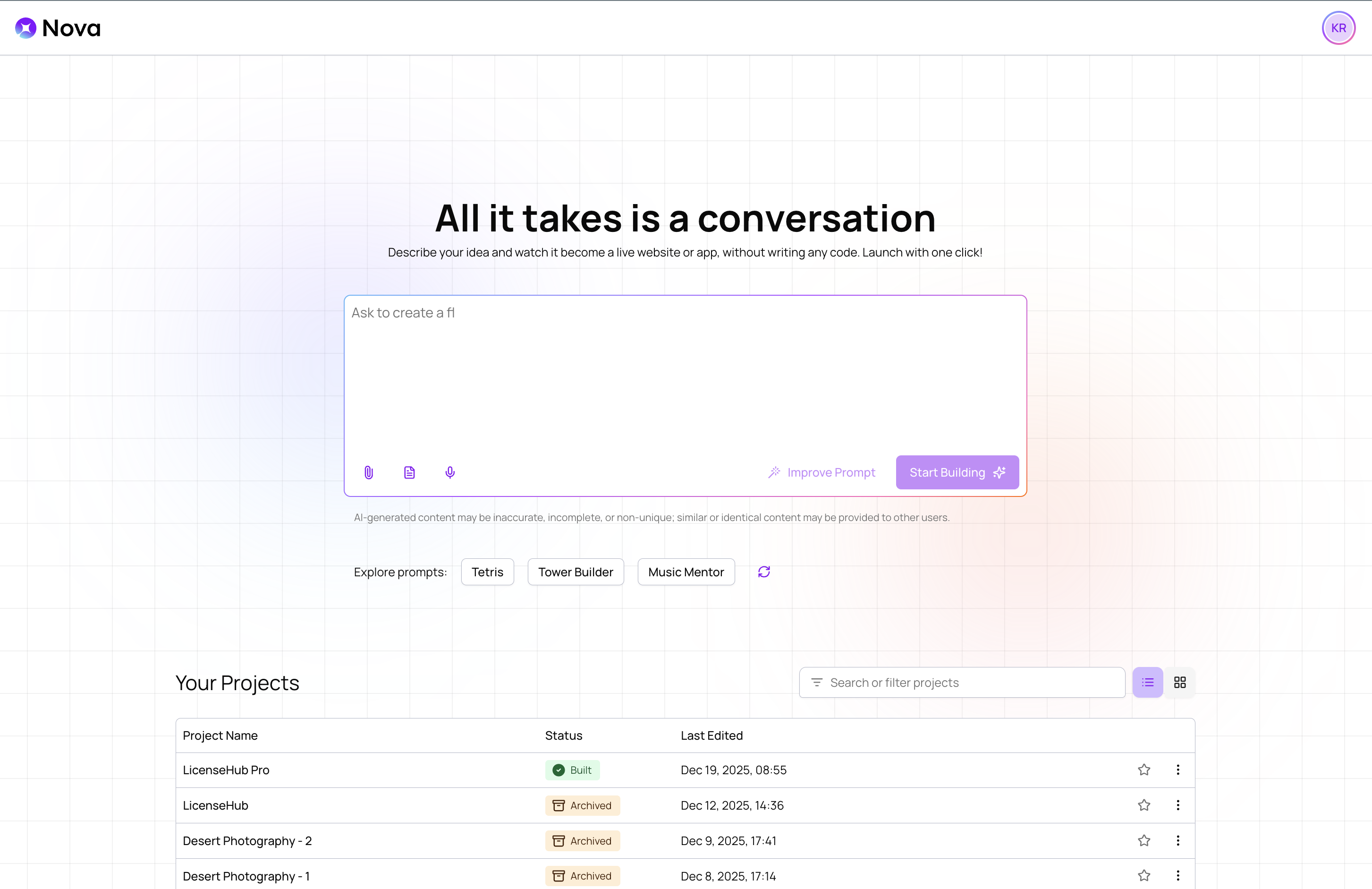
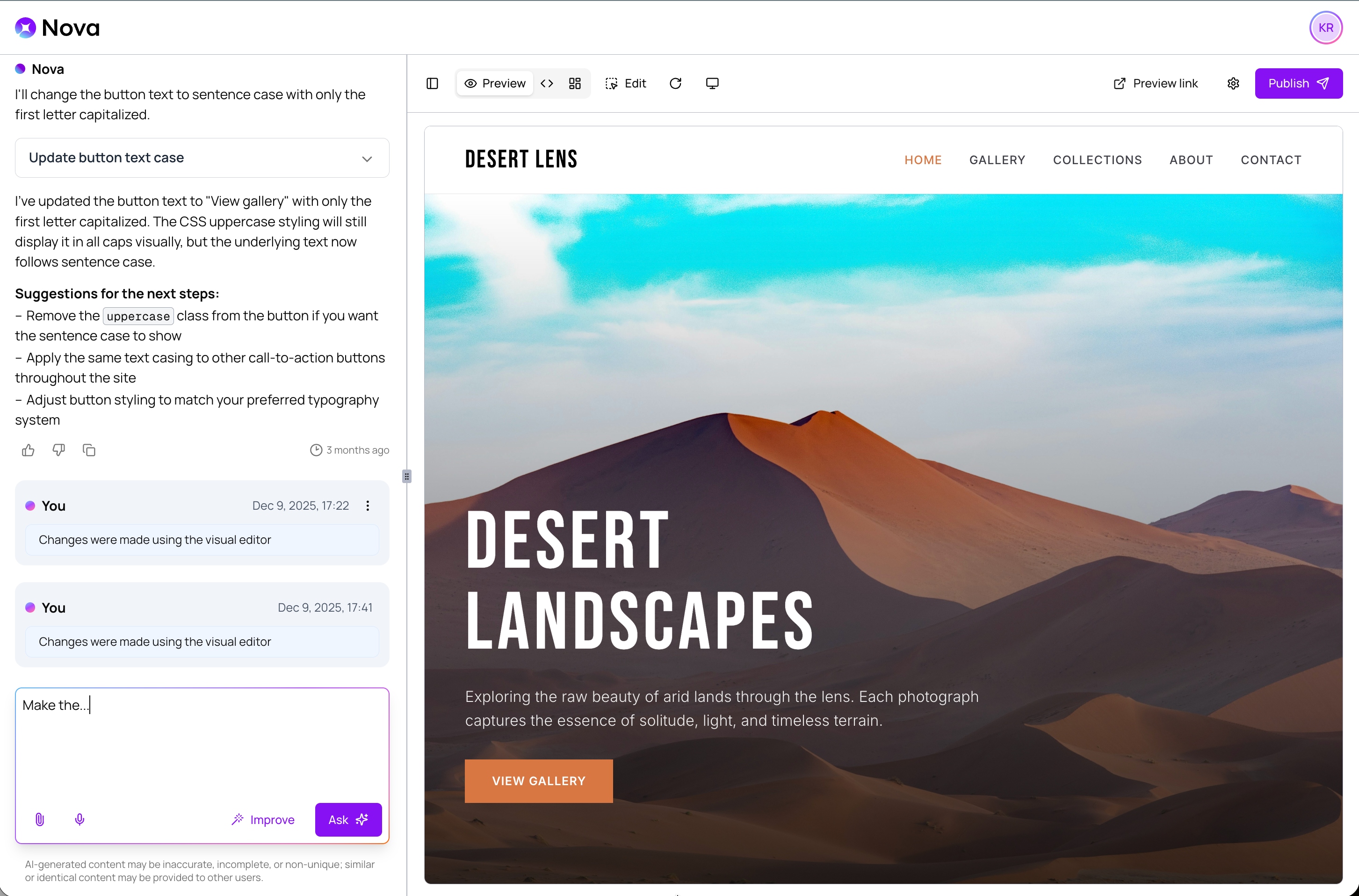
Nova (originally Project PAL) is WebPros' in-house AI app builder that lets cPanel users generate and publish websites and applications from natural-language prompts. I owned the UX strategy end-to-end: mapping the cPanel-to-Nova user journey, defining how Nova's design system layers on top of WebPros Material, introducing AI-specific components, unblocking the design team with a 'gray UX first' process, and ensuring Nova integrates coherently alongside Sitejet and WordPress inside the new WebPros Dashboard.
Defining the cPanel User Journey
I partnered with the Nova core team to design the complete flow for a cPanel user adopting the AI App Builder in Figma. This wasn't about decorating screens -- it was about making Nova feel like a natural extension of the hosting experience cPanel users already know.
The journey maps how users discover 'Build with Nova' from within cPanel, authenticate and connect projects and domains, experience their first prompt and project creation, and then edit, re-prompt, and publish -- all within a mental model that makes sense for someone who manages sites in cPanel, not someone who lives in AI tools.
Design System Strategy: M3 + Nova Theme
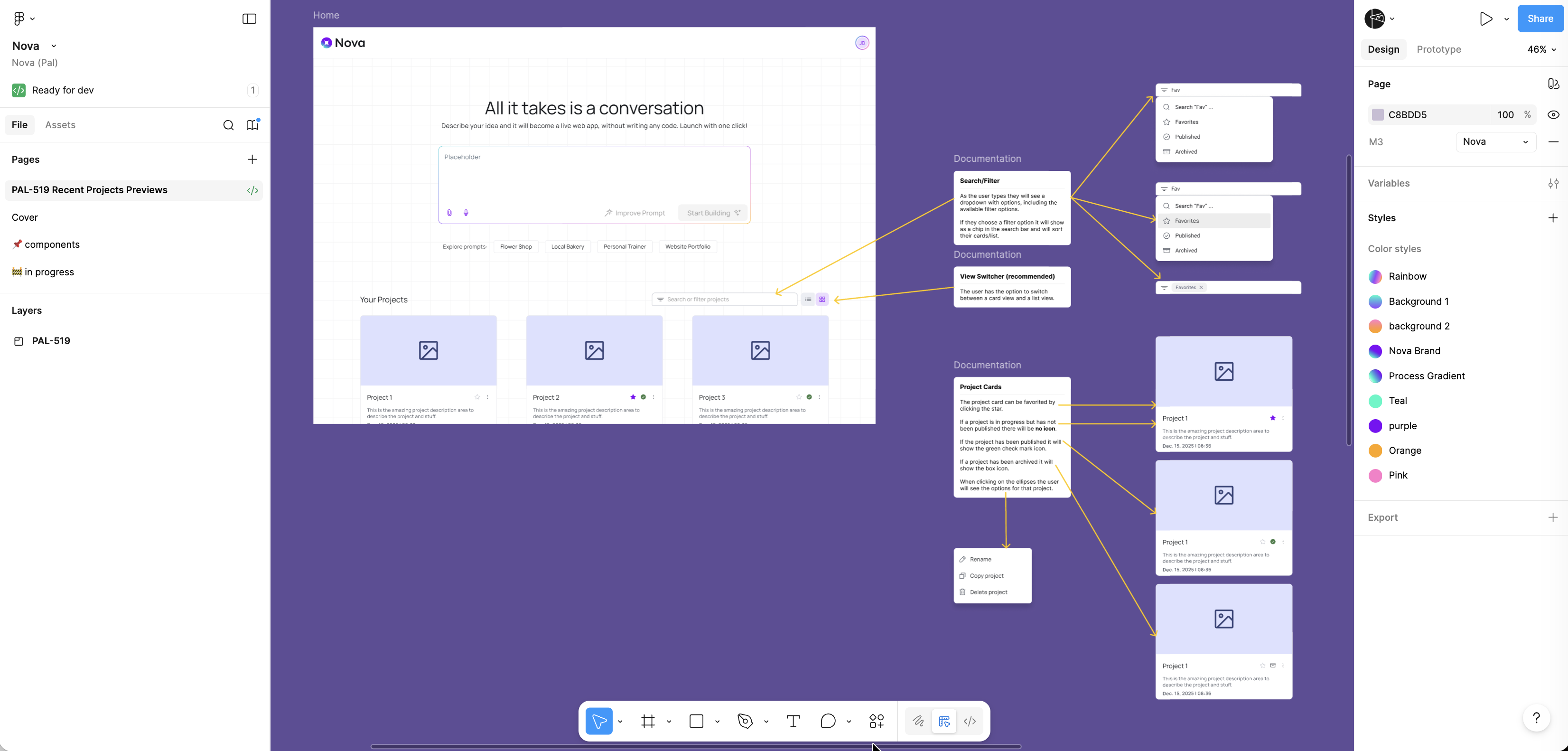
Nova needed its own visual identity while staying consistent with the broader WebPros ecosystem. I clarified the design-system strategy: use the WebPros Material v3 library as the foundation, then layer a Nova-specific theme on top so the product can feel like its own app without diverging from the system.
Critically, I flagged an org-level risk early: some stakeholders interpreted 'use M3' as 'rebuild everything with raw Material Design 3 components from scratch.' I aligned the team that it means using the themed component library, preventing a costly misunderstanding that would have required full screen rebuilds later. This is meta-UX -- designing the system the designers use as much as the screens themselves.
Unblocking Design Velocity
The Nova team was getting blocked waiting for finished components before they could explore flows. I pushed for a 'gray UX first, components second' process: let the product designer build fast gray-box prototypes to validate flows, then have the design system team convert the proven patterns into proper library components.
This approach unlocked Nova's design velocity immediately. The team could iterate on core experiences like prompt interaction, code editing, and onboarding without being bottlenecked by component availability, while still converging toward a consistent, reusable UI.
AI-Specific Components
Through the prototyping process, I identified four critical building blocks that didn't exist in the WebPros component library and needed to be created for Nova and future AI products:
An AI prompt input component handling long multi-line input with token state. A code editor input pattern for viewing and modifying generated code. Onboarding cards and multi-step flows to guide first-time users. And a documented grids and spacing system tailored to Nova's content-dense layouts. I also determined Nova needed its own compact, one-line application header rather than forcing the full dashboard header pattern.
Cross-Product Integration
Nova doesn't exist in isolation -- it needs to live alongside Sitejet and WordPress inside the WebPros Dashboard. I participated in the Sitejet + Nova Dashboard integration workshops, bringing a cross-product lens to how AI builder flows and website builder flows coexist in the same environment.
I explicitly called out where the prior Sitejet-in-cPanel implementation had diverged from my original intended UX, using that as a cautionary example for Nova's integration. The goal: make sure Nova's dashboard integration doesn't repeat those UX regressions and delivers a coherent multi-product experience from day one.
Protecting Future Consistency
Beyond the immediate product work, I ensured Nova's UI decisions today won't create debt tomorrow. By aligning on themed components (not raw M3), agreeing that standalone products like Nova can flex the system without being forced into a rigid dashboard frame, and anchoring everything to consistent grids, spacing, and design language, Nova can evolve toward deeper WebPros consistency over time without throwing away today's work.
The path I defined allows non-dashboard products to have the flexibility they need while staying connected to the shared design system -- a principle that scales well beyond Nova to any future WebPros product.
Outcome
My UX work on Nova established the product's design foundation: the end-to-end cPanel user journey that makes the AI app builder feel native to the hosting experience, a design-system strategy that balances product identity with portfolio consistency, four new AI-specific component patterns now feeding the shared library, and a cross-product integration approach informed by lessons learned from Sitejet. The 'gray UX first' process I introduced unblocked the team and became the operating model for Nova's design workflow going forward.